Ascent Bible. A free Bible web app: no account, no ads, works offline.
Scripture writing, the oldest way to slow down.
Copy the Word out, word by word. Type it or write it by hand; the passage fills in as you go and never runs out. The eye can skim. The hand cannot.

Psalm 121, being written.
No account. No feed. No streaks. No ads. No tracking. Free. Not freemium: free.
The practice
Israel’s kings copied the Scriptures by hand. It still works.
“When he is seated on his royal throne, he must write for himself a copy of this instruction… It is to remain with him, and he is to read from it all the days of his life.”
Deuteronomy 17:18–19
When a king of Israel took his throne, he was commanded to write the law out with his own hand. Not skim it, not have it read to him: transcribe it. Scripture writing, or copywork, is that same practice, and it has never stopped working, because writing is the one pace at which you cannot rush the text.
This is not memorization drill, and it is not a spelling test. It is reading done with the whole body: one word arriving under your hand at a time, meditation at the speed of ink.
Write mode
Open a verse, and start writing.
Write mode lives inside the reader. Open the rooms menu, choose Write, and the passage in front of you becomes the page you copy.

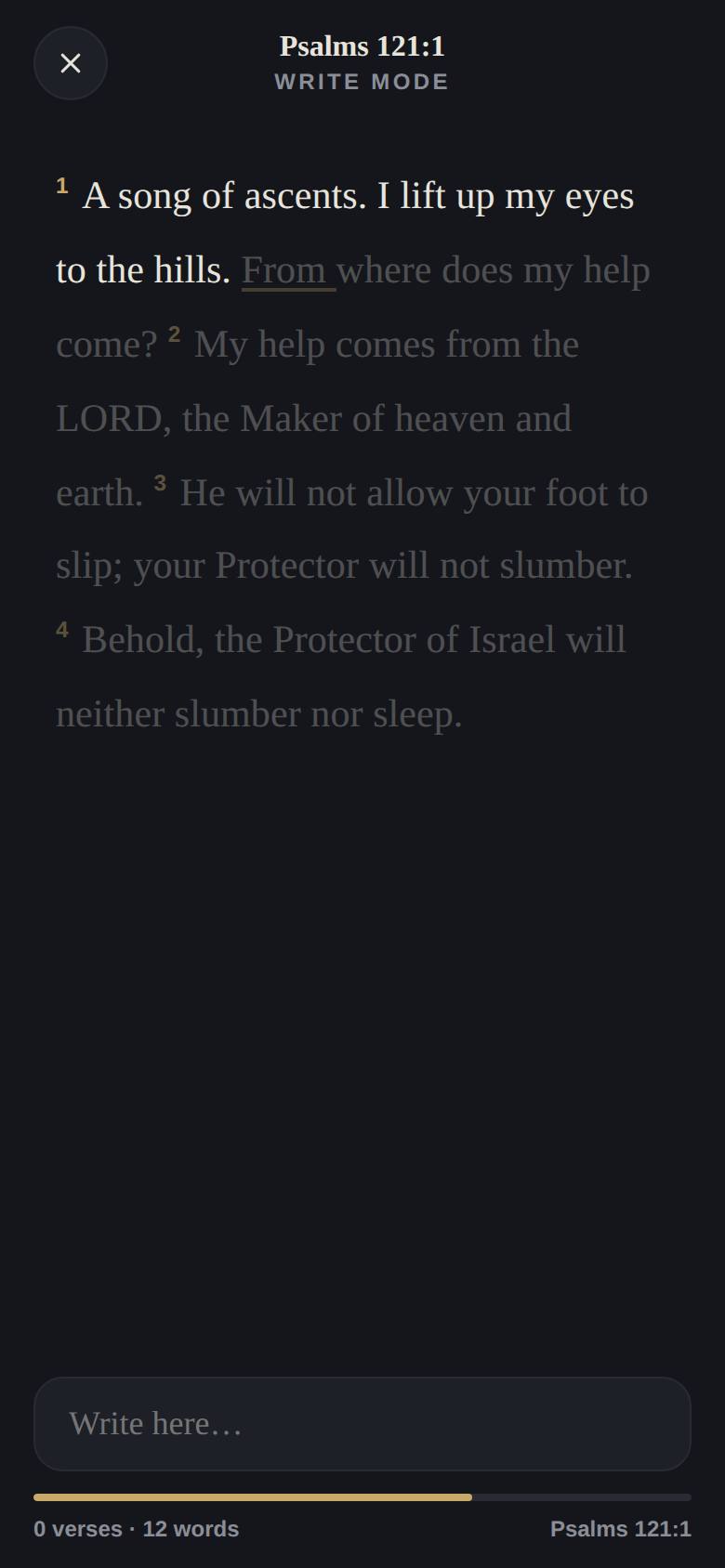

Type on any keyboard, or write by hand with a stylus or handwriting keyboard; the input clears itself as each word lands, so handwriting streams continuously. Everything stays on your device: nothing you write is uploaded, ever.
Quick answers
Scripture writing, answered.
What is Scripture writing?
The practice of copying a Bible passage out in your own hand, word by word, also called Bible copywork or transcribing. It is the oldest way of sitting with the text (Deuteronomy 17:18), and the slowest: writing holds you to one word at a time, which is exactly what meditation asks.
Is it free?
Yes: free, not freemium. No ads, no account, no tracking. Ascent runs in your browser, installs to your home screen in about ten seconds, and works offline.
Do I type, or write by hand?
Either. An ordinary keyboard works, and so does a stylus with a handwriting keyboard (Scribble on iPad, handwriting input on Android); the field clears as each word lands, so handwriting can stream without pause. Matching is forgiving on spelling and punctuation.
Can I follow my Scripture writing plan with it?
Yes. Write mode begins at any verse, so a monthly writing plan works as-is: look up the day’s passage and write. Ascent’s own reading plans work alongside it, quietly: no streaks, nothing to catch up on.
Where does my writing go?
Nowhere. Your progress is kept on your own device so your session resumes where you left off. Nothing is uploaded, and there is nothing for us to see, sell, or leak.
Which translations can I write?
The default is the Berean Standard Bible (BSB), with KJV, NET, LSV, and BLB also included; write mode works in any of them. More translations follow as publisher licenses are granted.
Take up the pen.
A quiet place to draw near to God.
Open Ascent Bible free · no account · works offlineOr take the two-minute tour